SofaBaton X2 Review: A Real Home Theater Fix
I tested the SofaBaton X2 in my home theater setup to see if its touchscreen, built-in IR blaster, and Home Assistant integration can replace five remotes.
The SofaBaton X2 solves the single biggest issue with modern universal remotes by putting an infrared blaster directly on the handheld wand, not just in the base station. If your media hub sits inside a closed cabinet and misses a signal, you do not have to jump through hoops or wave your arms around. You can just point the remote like a normal human and move on.
Having tested the older SofaBaton X1S extensively, I went into this review wanting to see if the company actually addressed the daily frustrations that plagued earlier models. The X1S worked reasonably well, but the tiny scroll wheel made input switching tedious, and remotes without docks inevitably vanish between couch cushions. As I said in the video, this little thing might be the first remote in a long time that actually makes that mess feel fixable.
What changed between the SofaBaton X1S and the X2
The physical redesign is immediately obvious the moment you pick it up. Where the X1S relied on a narrow display paired with an awkward mechanical scroll wheel, the X2 gives you a responsive color touchscreen at the top. Flipping through custom activities, specific audio inputs, and digital number pads takes a direct tap instead of endless spinning.
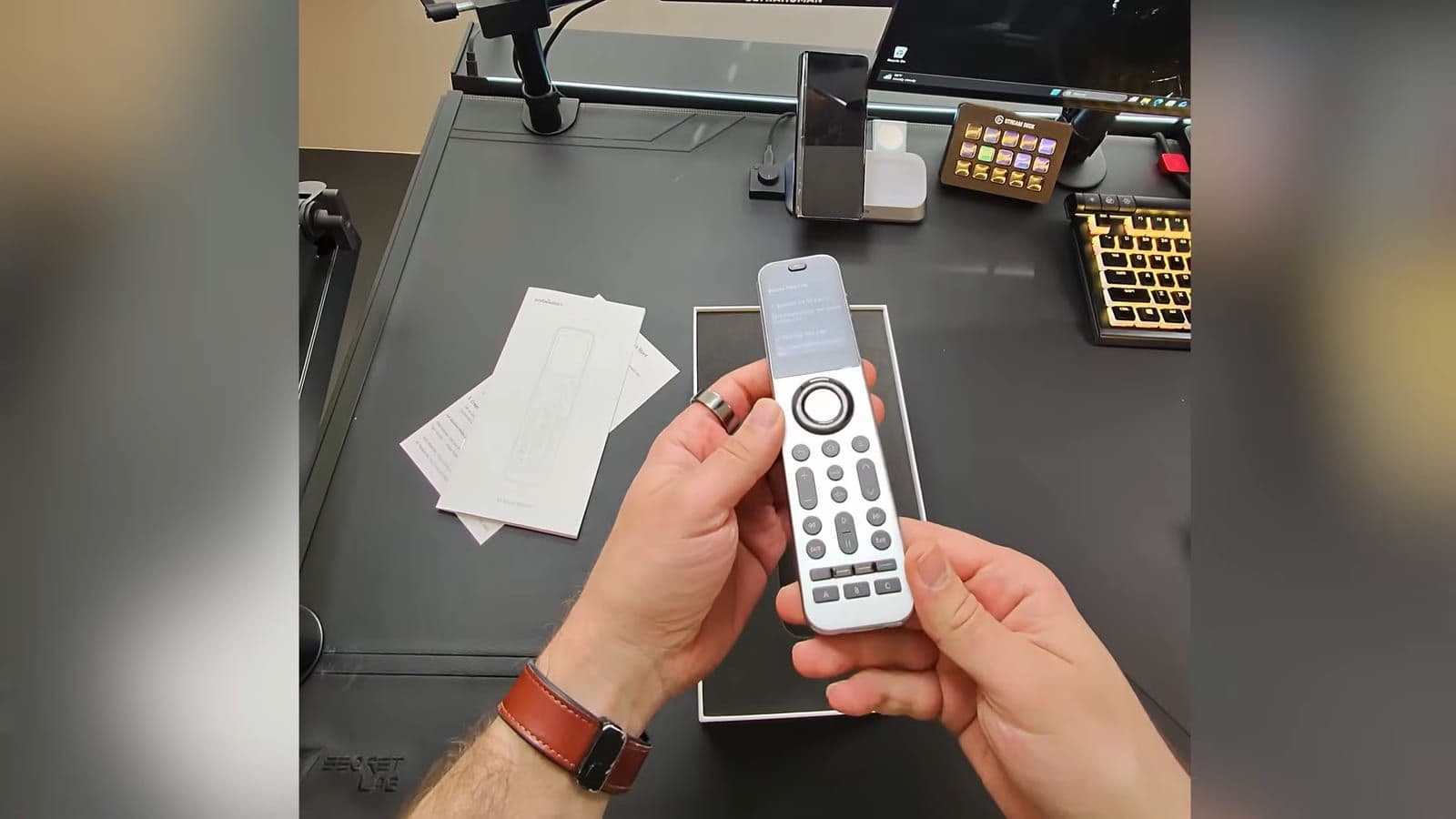
The second major shift is the hardware distribution. Alongside the main spherical IR hub and wired extender blasters, the remote body itself now houses an internal IR emitter. That dual-path design means commands reach your gear whether you are pointing directly at a television or leaving the remote sitting on a side table while the hub blasts the room.
Finally, SofaBaton stopped shipping the remote as a loose wand that requires a stray USB-C cable on your coffee table. The X2 includes a vertical desktop charging dock right in the box, giving it a permanent place to park.
Hardware specs and out of the box build quality
Out of the box, the X2 feels significantly more premium than its predecessors. The casing uses a sturdy metal frame with clean curves that give it proper rigidity in the hand. It measures 205 mm long, 50 mm wide, and 30 mm thick, weighing in at roughly 170 grams. That heft is reassuring because it stops the controller from feeling like a cheap plastic replacement wand.
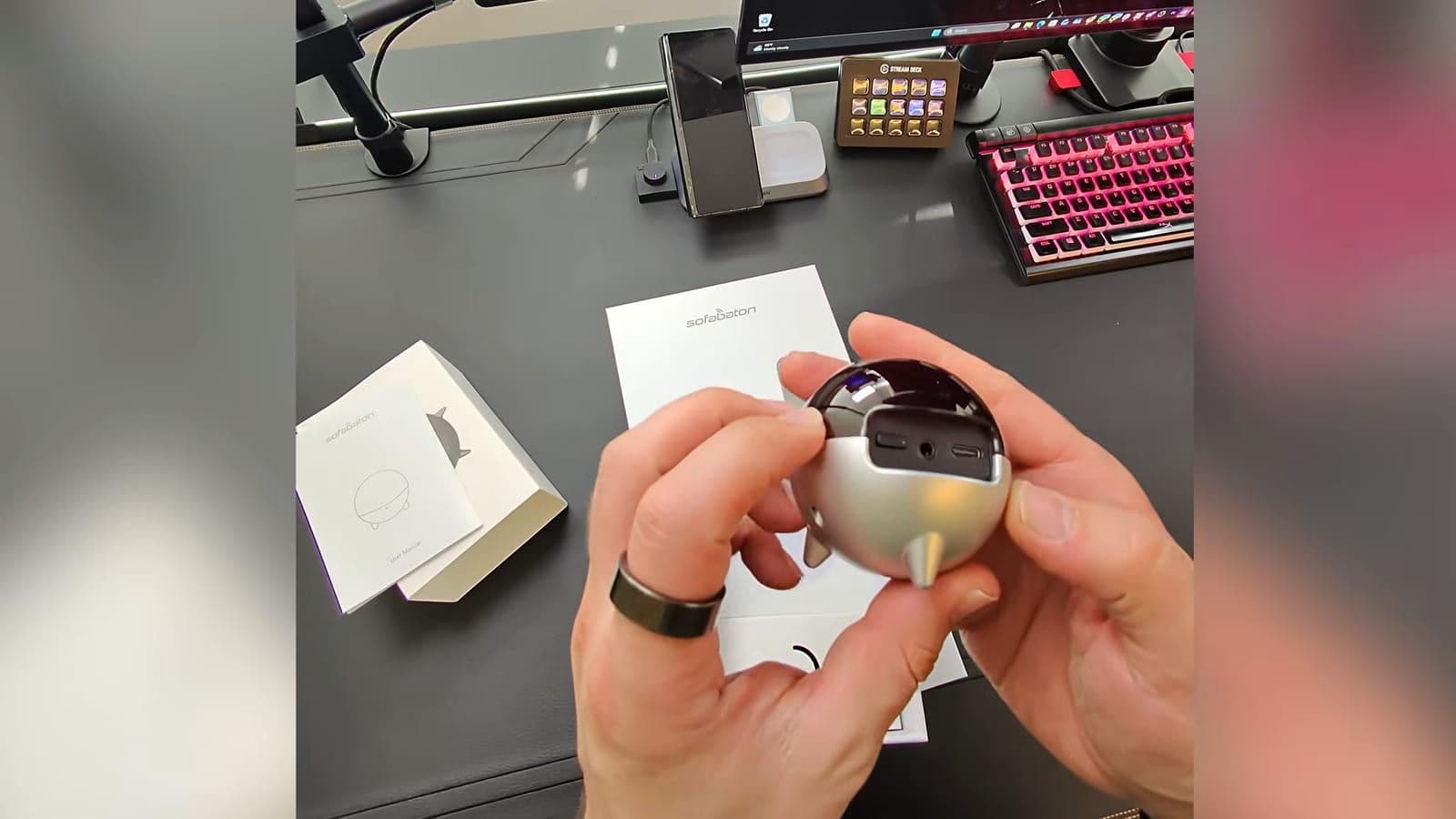
The retail package includes every accessory required to get started without buying secondary add-ons:
- SofaBaton X2 handheld remote
- Spherical wireless IR hub
- Vertical charging cradle with pogo pins
- Wired IR extension blasters
- USB-C charging cables and power adapters
- Documentation and quick setup guide
The handheld controller carries a 1,050 mAh battery rated for up to 45 days on standby, depending on your backlight settings and daily screen time. Recharging happens through the dock contacts or the USB-C port on the body. A 30-minute quick charge returns roughly 50 percent of the battery capacity.
My only minor complaint with the physical package involves the charging stand. While it looks sleek on a shelf, the dock base could use a bit more internal weight. When picking up the remote, you sometimes pull the lightweight cradle along with it unless you lift it straight out.
How it handles a complex home cinema setup
A universal remote looks great on paper until you drop it into a room with non-standard routing. My primary testing space is far from simple. I run a Samsung TV, an XGIMI Horizon 20 Max projector, a motorized drop-down projector screen, and automated smart shades. Audio and video sources flow through a Zidoo media player, an R_volution player, a FeinTech eARC audio extractor, and a Sonos surround system.
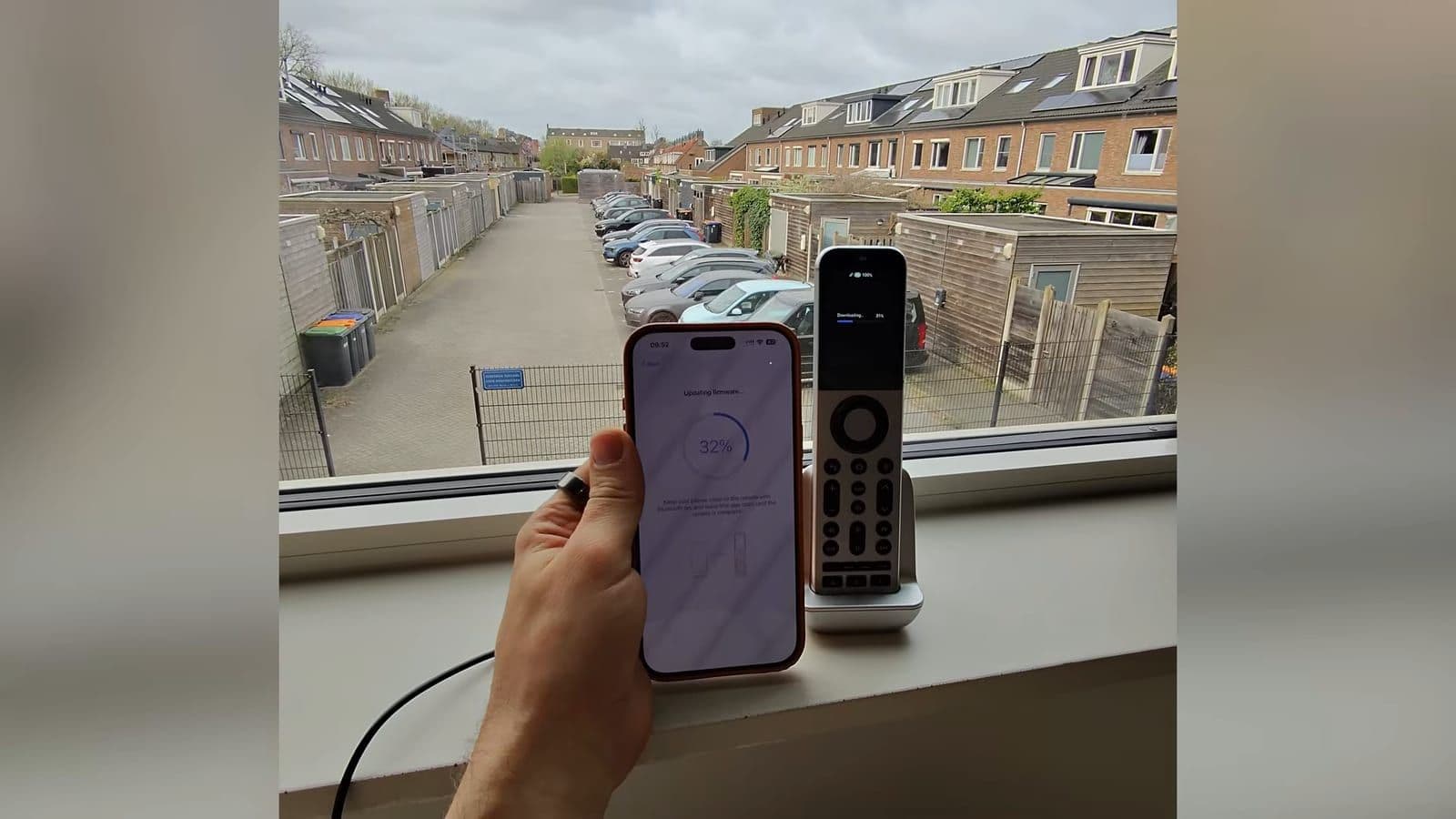
Before the X2, watching a film meant juggling four or five separate controllers just to get audio through eARC and video onto the screen. If an input sequence missed by a split second, the soundbar went mute or the projector stayed on the wrong HDMI port. Most universal remotes are really one-person remotes, because the moment someone else sits on the couch, they cannot figure out how to reset an out-of-sync chain.
With the X2 configured, executing a movie activity powers the projector, drops the motorized screen, adjusts the blinds, switches the FeinTech extractor, and brings up the media player. Because the remote wand and the hub work together, signal drops during power sequences dropped to zero in my testing. That is when this stops feeling like a fun gadget and starts feeling like the fix.
Connecting to Home Assistant for smart room automations
One of the most capable aspects of the X2 is its integration with local smart home platforms. Through the Home Assistant Community Store (HACS), you can install the community SofaBaton integration to bridge the remote directly to your home server.
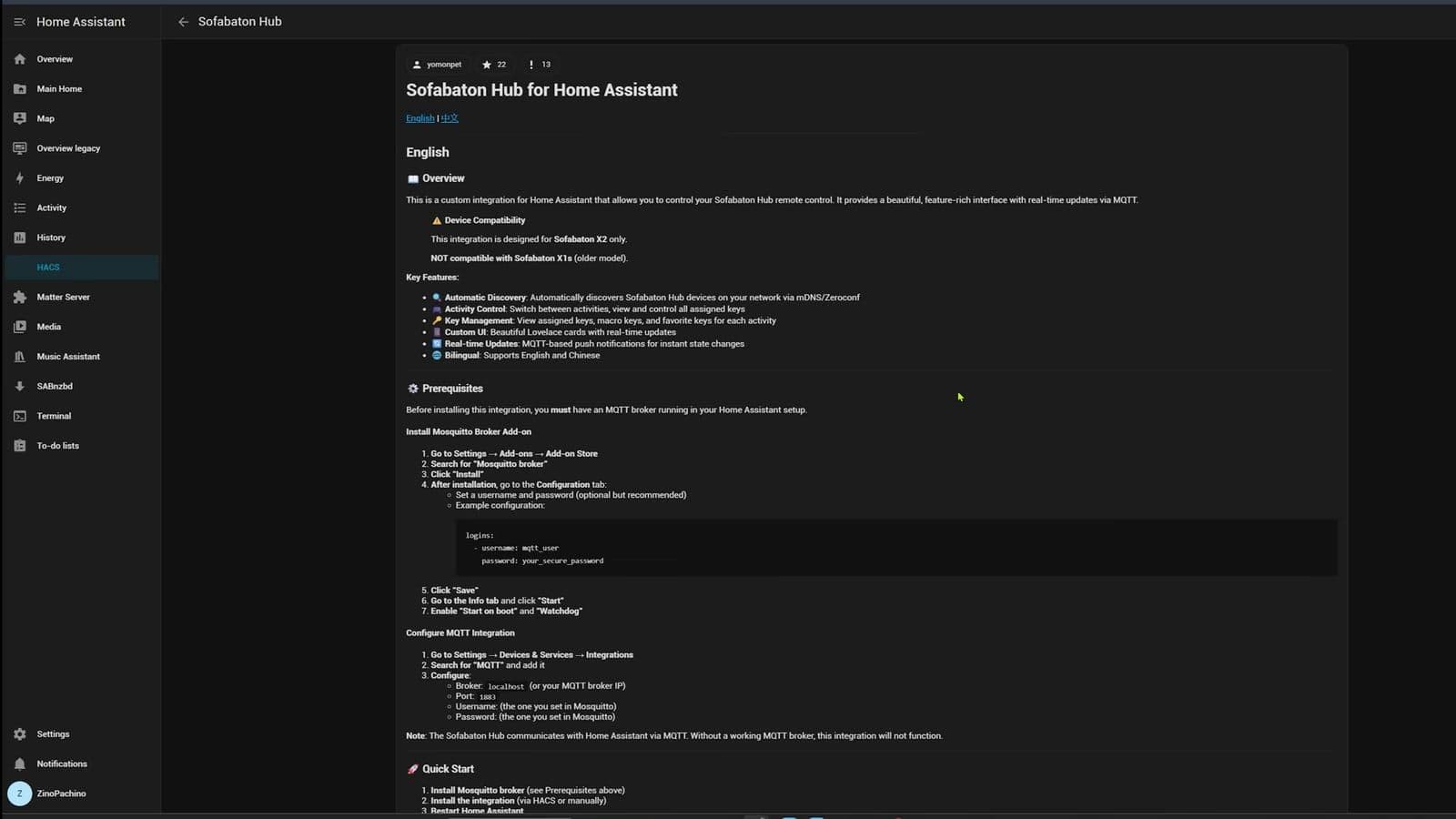
This connection communicates over Wi-Fi and MQTT. Once configured, you can assign physical keys or touchscreen shortcuts to trigger Home Assistant automations. In my setup, pressing play on a movie activity does not just command the media player, it automatically dims the ceiling lamps and shuts the window coverings.
You do need a running MQTT broker on your network for this link to operate properly. It takes some manual configuration in Home Assistant, but for smart home enthusiasts, having tactile buttons execute server-level routines makes the remote considerably more versatile than standard infrared wands.
Setup challenges and daily usability issues
While everyday operation is smooth once finished, getting to that point requires patience. The road to get there is not totally beginner-proof yet. The companion app handles device pairing via Bluetooth, Wi-Fi, and an extensive online IR code database, but building multi-step activities still demands trial and error.
Some AV gear takes several seconds to wake up before accepting an HDMI input command. If your sequence switches inputs before the television is ready, the command vanishes. I had to manually insert micro-delays into the power sequences for my projector and audio extractor to prevent missed signals.
Learning unlisted IR commands using the original remotes works reliably, but you have to sit down and map out each button individually. If you expect to take this out of the box and control six complicated devices within five minutes, you will find the initial configuration tedious.
Pricing and where to buy
When checked on 24 April 2026, the SofaBaton X2 carried an official retail price of $329.99 in the United States and €399 across European markets. You can check current availability on Amazon US or look at the EU Amazon store. The remote is also available through the SofaBaton Global Store and their official affiliate shop. Viewers of my channel can use the discount code ZINONETICX2 at checkout to get 15 percent off the purchase price.
This is premium remote money, but it also does premium remote stuff. For a complete look at the accessories and gadgets in my testing studio, you can also browse my personal gear collection.
Who should buy the SofaBaton X2 and who should skip it
Buy the SofaBaton X2 if:
- You manage a multi-device media room with projectors, separate audio splitters, and streaming players that normal HDMI-CEC cannot handle reliably.
- You want physical remote keys to trigger smart lighting and room scenes through Home Assistant.
- You are tired of losing track of loose remotes and want a sleek controller with a dedicated charging dock.
Skip the SofaBaton X2 if:
- You only have a single smart TV and a modern soundbar connected over eARC, where standard TV remotes already handle basic power and volume.
- You already own the SofaBaton X1S and do not mind using the mechanical scroll wheel to switch inputs.
- You dislike troubleshooting app settings, input delays, and activity timing steps during setup.
Frequently asked questions
How does the SofaBaton X2 compare to the SofaBaton X1S?
The X2 replaces the mechanical scroll wheel of the X1S with a responsive full-color touchscreen and adds an IR blaster directly into the remote body. It also includes a vertical charging cradle, whereas the X1S relied on loose cable charging and only fired IR commands from the external hub.
Can the SofaBaton X2 work with Home Assistant?
Yes, the X2 integrates with Home Assistant via a custom repository available in HACS that utilizes local MQTT communication. This setup lets you map physical remote buttons and activity states directly to smart lights, motorized screens, and home scenes.
How long does the SofaBaton X2 battery last on a charge?
The integrated 1,050 mAh battery is rated for up to 45 days of standby operation depending on your display wake duration. When placed in the charging cradle, the fast-charging hardware restores approximately 50 percent of the battery in 30 minutes.
Is the SofaBaton X2 worth the premium price?
For owners of complex home theaters with motorized screens, multiple players, and separate audio routing, the hardware quality and dual-IR reliability justify the cost. However, users with basic single-TV living room setups will find it unnecessarily expensive for everyday viewing.
Zino
Zino test gadgets voor zijn YouTube-kanaal ZinoNetic: robotstofzuigers, loopbanden, NAS-systemen, thuisbatterijen en meer. Een review schrijft hij pas als hij het apparaat zelf heeft gebruikt.